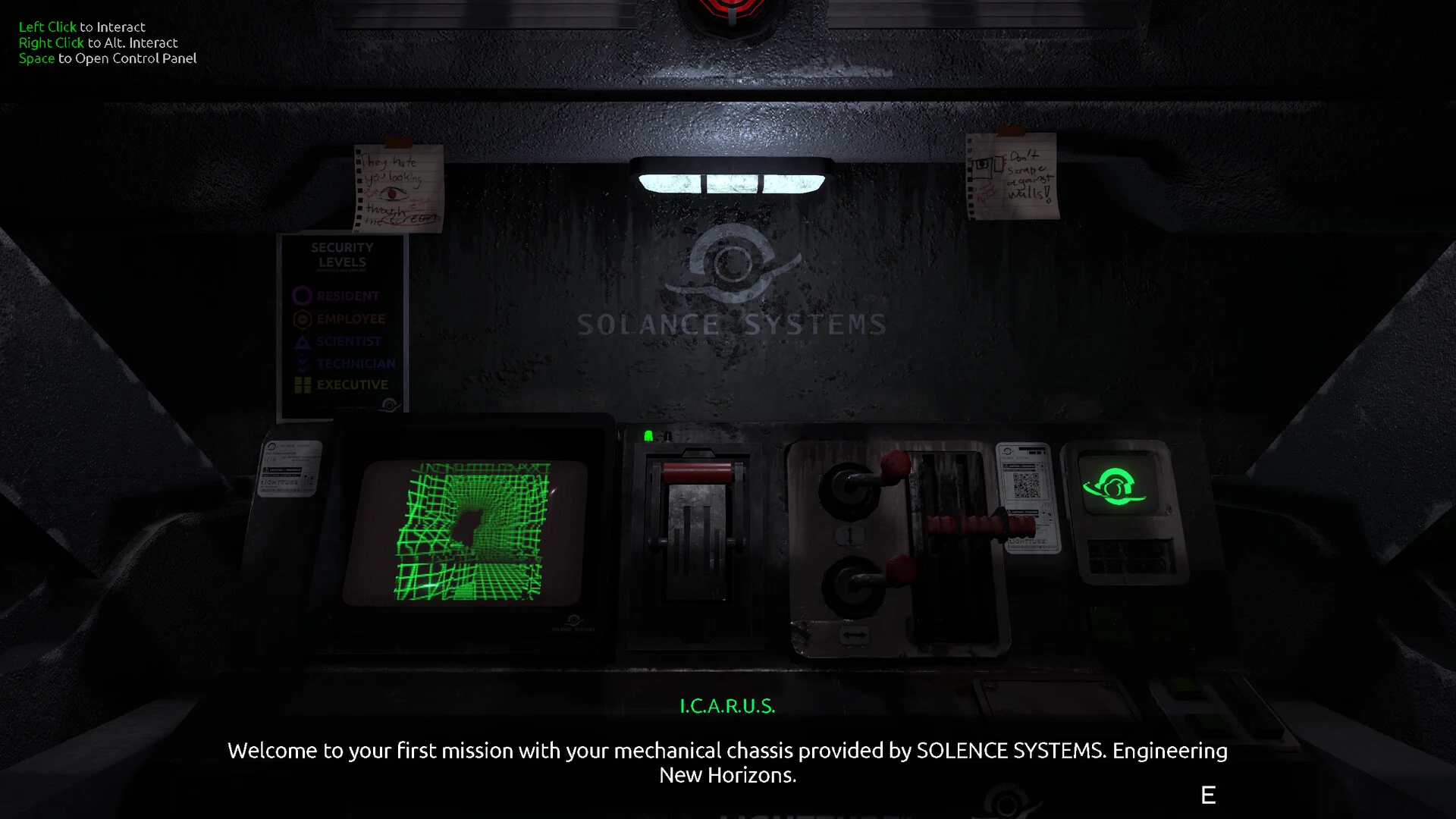
- FEED MY MECH steam demo: The available official information confirms a Windows PC release, but not a separate public demo build.
- Official access: Use the verified Steam store page for the current game listing and platform information.
- Core loop: Explore the underground colony, manage mech power, inspect equipment, and recover Signals.
- Best setup: Learn the cockpit, scanner, navigation display, and interaction controls before entering dangerous areas.
- Safe troubleshooting: Preserve valid saves and use the least disruptive recovery step when a session is interrupted.
FEED MY MECH Steam Demo Status
At the time of this 2026 guide, the official information available for FEED MY MECH steam demo confirms the main Windows PC game rather than a separately documented demo edition. The game is a single-player horror exploration experience developed by TheManiacMartian and released on November 28, 2025.
Players are placed inside a mech cockpit while exploring a deserted underground colony. The central experience combines limited visibility, machine management, navigation, environmental interactions, Signals, and encounters with infected mechanical threats.
| Access Detail | Current Information |
|---|---|
| Game | FEED MY MECH |
| Developer | TheManiacMartian |
| Genre | Horror, exploration, indie, single-player |
| Confirmed platform | Windows PC |
| Release date | November 28, 2025 |
| Main story length | Approximately 2–3 hours |
| Confirmed achievement count | 12 Steam achievements |
| Separate demo status | No distinct public demo build is established in the available official information |
The safest way to check whether a demo, trial, or temporary build has been added after this article’s publication date is to review the official Steam store page and the developer’s official itch.io page.
Steam Listing
Use the official store page for the current Windows PC product listing, supported features, and platform information.
Developer Updates
Check TheManiacMartian’s official page for developer announcements, project information, and possible future distribution updates.
Wiki Guidance
Follow this wiki for walkthrough planning, Signals, survival habits, secrets, endings, achievements, and interface help.
Do not assume that a search result labeled “demo” is an official FEED MY MECH build. Confirm the product name, developer, platform, and store URL before downloading or launching anything.
Steam Access and First Setup
Once you have confirmed the official listing, prepare for a short but information-dense horror adventure. The game’s main story is estimated at roughly two to three hours, so a careful first run can combine progression, exploration, and optional discoveries without requiring a long-term character build.
Use this setup route before entering deeper sections of the colony:
Open the official game listing
Start from the verified Steam page rather than an unconfirmed mirror. Review the current platform, language, feature, and system information shown by the store before proceeding.
Launch and inspect the cockpit
Identify movement, interaction, scanning, navigation, and power information. The cockpit is your primary source of feedback, so learn what each visible indicator communicates.
Plan the first expedition
Choose one nearby objective and identify a route back to a familiar position. Avoid wandering into a branching area without enough operational reserve for the return journey.
Test basic interactions
Approach equipment, access points, and unusual objects slowly. If an interaction prompt does not appear, reposition the mech, face the object, and check whether a prior objective is required.
| Setup Phase | Main Check | Recommended Habit |
|---|---|---|
| Before launch | Official listing and supported configuration | Use the Steam page as the reference |
| Cockpit review | Controls, scanner, map, and power display | Learn the interface before traveling far |
| First expedition | Objective and return route | Choose one nearby goal |
| Environmental search | Equipment and access points | Scan with a clear purpose |
| Save preparation | Safe position and valid save | Preserve a separate save before major decisions |
The game rewards deliberate exploration more than hurried movement. Before leaving a safe position, decide what you are looking for, how much power the route may require, and which landmark will help you return.
Treat every expedition as a planned trip. A clear objective, a remembered landmark, and enough power for the return route prevent many avoidable navigation problems.
Exploration, Power, and Survival Tips
FEED MY MECH is built around exploration from inside a machine rather than traditional combat progression. Your most important decisions involve where to travel, what to inspect, when to scan, and when to retreat.
| Exploration Situation | Priority | Practical Response |
|---|---|---|
| Leaving a safe area | Resource planning | Check power and machine condition |
| Entering a new section | Orientation | Use navigation information and note landmarks |
| Searching for progression | Relevant interactions | Scan equipment and unusual objects |
| Exploring a side path | Return security | Keep enough power for the trip back |
| Entering a dangerous area | Risk control | Set a clear objective before moving deeper |
| Low-power situation | Recovery | Stop optional exploration and retrace the known route |
Before Exploration
Check the power display, machine state, intended destination, and return route. Avoid committing to a long detour without a reserve.
During Exploration
Use the scanner to support a specific search. Inspect equipment, access points, damaged machinery, and environmental clues that connect to the current objective.
Emergency Response
If power or orientation becomes critical, stop optional actions. Follow the navigation interface toward the last confirmed safe position.
A low-power situation should change your priorities immediately. Stop repeated scanning, avoid new hazardous sections, and retrace a route you recognize. If you become disoriented, return to the last landmark rather than selecting random branches.
Optional exploration is also important for story context. Dead ends, side passages, unusual machinery, wreckage, and environmental details may contain information that is not required for basic progression but can improve your understanding of the colony and its wider mystery.
Prepare before leaving, scan with a purpose, monitor power during travel, and retreat through a known route when conditions become unsafe.
Walkthrough Planning, Secrets, and Endings
A strong first playthrough should separate spoiler-light progress from optional investigation. Follow the main objective when you want to advance, but inspect nearby locations before moving on if you are also pursuing secrets, achievements, or ending context.
| Content Type | Where to Look | Missable Risk | Suggested Approach |
|---|---|---|---|
| Main progression | Required equipment and access points | Low | Follow the current objective |
| Optional locations | Side passages and off-route terrain | Medium | Search before leaving each area |
| Environmental clues | Wreckage, machinery, unusual objects | Medium | Inspect details that stand apart |
| Ending preparation | Late-game interactions and choices | High | Preserve a manual save first |
| Achievements | Story, exploration, and outcome actions | Varies | Track optional actions during the run |
Use the following order when preparing for late-game content:
- Complete available main objectives.
- Revisit accessible areas after major progression changes.
- Inspect unresolved equipment and unusual objects.
- Record important choices near the final sequence.
- Preserve a separate save before an irreversible decision.
The endings section should be approached with spoiler control. Begin with preparation advice, then review branch details only when you are ready. If you want to compare outcomes, change one late-game decision at a time and keep the earlier save intact.
First-Run Exploration Checklist:
- Learn movement, interaction, scanning, navigation, and power information
- Choose one nearby objective before leaving a safe position
- Inspect side paths, equipment, wreckage, and unusual environmental details
- Revisit unresolved locations after major progression changes
- Create a separate save before the final sequence or major choice
For a low-spoiler run, follow objectives first and inspect optional areas naturally. For completion cleanup, return to earlier sections after you understand the main progression chain.
Controls, Troubleshooting, and FAQ
The exact keyboard and mouse bindings should be checked in the current in-game settings. Regardless of the binding layout, the essential actions remain consistent: movement, interaction, scanning, navigation, and reading cockpit information.
| Problem | First Response | Next Safe Step |
|---|---|---|
| No interaction prompt | Reposition and face the object | Check whether a prior objective is required |
| Lost orientation | Return to the last recognizable landmark | Use navigation information to rebuild the route |
| Low power | Stop optional scanning and detours | Retrace the confirmed route |
| Crash or freeze | Restart and load the latest safe save | Verify installed files through Steam |
| Failed resume | Check recent valid saves | Use a separate slot before continuing |
| Soft lock | Leave interaction range and reload | Repeat the preceding objective in order |
For a crash, freeze, or failed resume, begin with the least disruptive action. Restart the game, load the newest valid save, and avoid repeatedly overwriting the same slot until the affected state has been checked. If the issue remains reproducible, record the location, objective, action sequence, and save state before reporting it through the official community channels.
Q: Is there a confirmed FEED MY MECH steam demo?
The available official information confirms the Windows PC game and its Steam listing, but it does not establish a separate public demo build. Check the official Steam page for later updates.
Q: Where should I get FEED MY MECH?
Use the official Steam store listing for the Windows PC version. The developer’s official itch.io page is also useful for project information and announcements.
Q: What should beginners learn first?
Learn the cockpit readouts, movement, interaction prompt, scanner, navigation interface, and power display before exploring far from a safe position.
Q: How can I avoid getting stuck during exploration?
Choose one objective at a time, remember nearby landmarks, reserve power for the return trip, and retreat through a known route when resources or orientation become critical.
Keep the official Steam listing bookmarked, preserve safe saves before major decisions, and use the FEED MY MECH Wiki walkthrough pages when you need direct route or completion guidance.