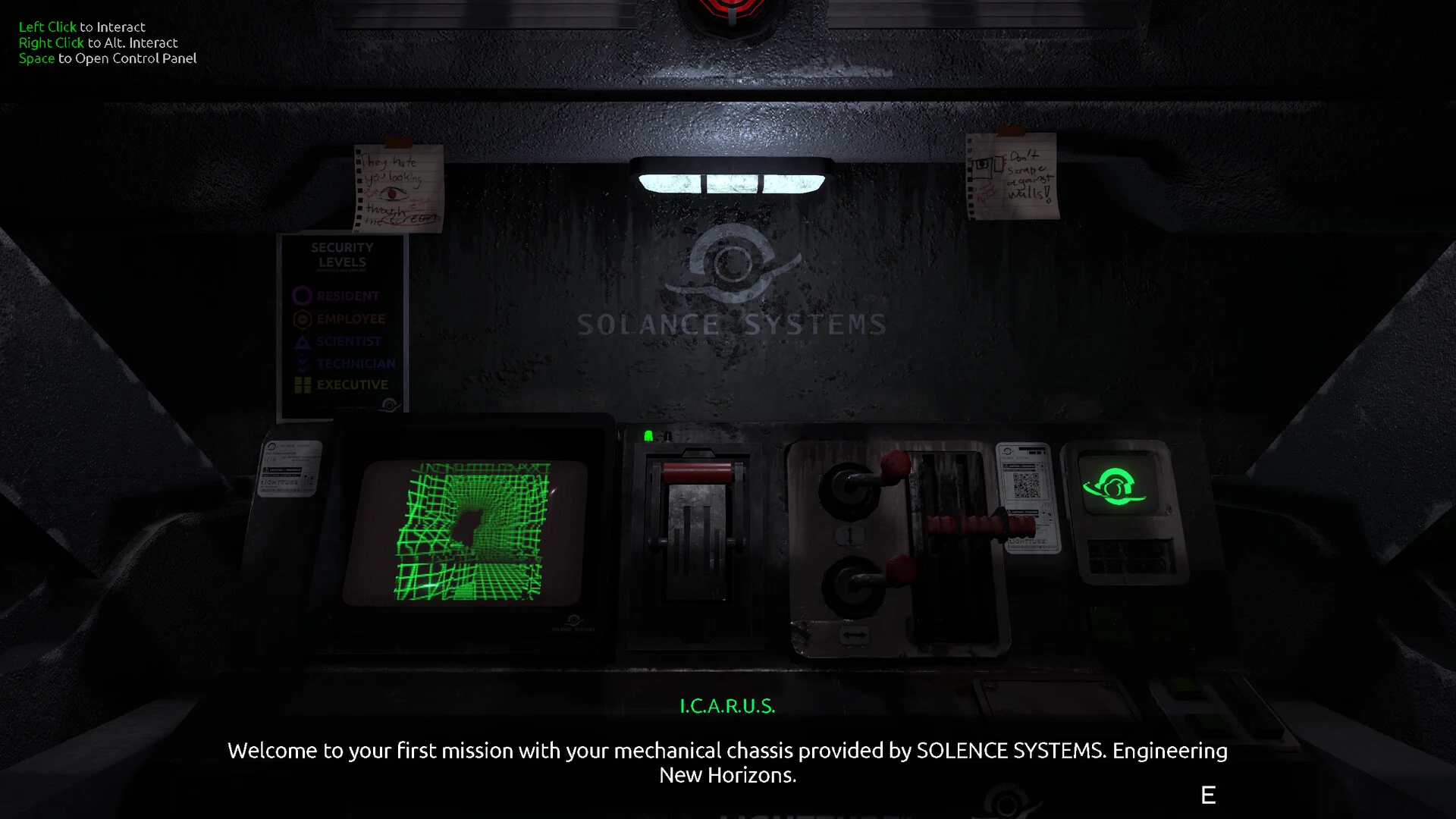
- FEED MY MECH walkthrough: Follow the objective chain without wasting power on unnecessary detours.
- Before exploring: Check machine status, power, navigation, and your intended route.
- During progression: Scan relevant equipment, confirm each interaction, and verify that routes actually change.
- When threatened: Retreat along a known path instead of forcing progress with critical resources.
- For cleanup: Revisit side areas after major objectives and preserve a save before late-game decisions.
Prepare the Mech Before Every Expedition
The FEED MY MECH walkthrough begins with preparation rather than immediate movement. The game places you inside a mech while you explore a dangerous underground colony, so the cockpit interface is your main source of information. Before leaving a safe position, identify the movement controls, interaction prompt, scanner, navigation display, and power information.
A short preparation routine prevents many common problems. Decide what you are searching for, check whether the machine has enough operational reserve, and identify a route back to a familiar location. Exploring without a clear objective can lead to repeated scans, missed equipment, or an avoidable low-power situation.
Cockpit Readouts
- Check power information before moving.
- Confirm the mech is ready for interaction.
- Use the display to monitor changing conditions.
Navigation Plan
- Select one nearby objective.
- Note recognizable landmarks and branches.
- Keep a return route in mind.
Search Discipline
- Scan objects connected to progression.
- Inspect unusual machinery and access points.
- Stop searching once the relevant route is confirmed.
| Preparation Check | Why It Matters | Recommended Action |
|---|---|---|
| Power level | Long detours can compromise the return trip | Reserve enough power for exploration and retreat |
| Machine state | Critical conditions make hazards harder to manage | Review the cockpit before entering unfamiliar territory |
| Current objective | Aimless travel increases resource use | Choose one clear target before leaving safety |
| Navigation reference | Underground routes can become confusing | Remember a landmark, access point, or known branch |
| Scanner readiness | Relevant objects may be easy to overlook | Scan equipment and unusual points of interest |
Treat every expedition as a planned trip. If you cannot explain what you are looking for and how you will return, stay near the current safe area and study the interface first.
FEED MY MECH Walkthrough: Step-by-Step Route
This route uses the game’s major progression pattern: prepare the mech, survey the current colony section, locate relevant equipment, operate the correct interaction, and confirm that the environment has changed. It avoids inventing unverified room names or exact coordinates, so you can apply the method to each area shown on your map.
Use the objective text for a low-spoiler experience. When progression seems blocked, switch to the direct solution notes in the steps below.
Prepare Before Advancing
Check power, machine condition, the cockpit interface, and the navigation display. Identify the next destination and estimate whether the mech can investigate the area and return safely. Do not begin a long detour before confirming the objective.
Survey the Accessible Colony Section
Search the current underground area for access points, machinery, blocked passages, and environmental clues. Use the scanner on objects that appear connected to power, travel, access, or the current obstruction. Keep track of locations already checked.
Locate the Required Equipment
Focus on devices that can change the state of the area. Inspect nearby objects before activating anything, especially when several pieces of machinery are grouped together. The correct interaction is usually linked to the current objective rather than a random side object.
Operate the Interaction and Recheck the Area
After activating equipment, do not assume the objective is finished. Review the navigation display, revisit nearby access points, and check whether the blocked route or available interaction has changed.
Enter the Next Area Carefully
Move through the newly available route only after confirming power, orientation, and machine condition. If the path becomes unclear, return to the last confirmed landmark and retrace the progression chain instead of taking random branches.
| Walkthrough Phase | Main Goal | What to Confirm |
|---|---|---|
| Preparation | Make the expedition safe | Power, machine state, objective, return route |
| Survey | Understand the current area | Relevant equipment, access points, environmental clues |
| Equipment search | Find the progression interaction | Device connection to the current obstruction |
| Activation | Change the area state | New route, updated objective, changed interaction |
| Advancement | Continue without becoming stranded | Orientation, reserve power, safe retreat |
Activating a device is not always the final step. Recheck the route, map, and nearby access points before moving deeper into the colony.
For official platform and game information, use the FEED MY MECH Steam store page. Community reports and progression discussions are available through the FEED MY MECH Steam Community hub.
Power, Navigation, and Survival Tactics
Power management is central to a reliable run. Movement, scanning, equipment use, and time spent away from safer infrastructure can all affect how long the mech remains operational. The safest approach is to divide every expedition into preparation, active exploration, and emergency response.
Do not treat scanning as a reason to investigate every visible object. Scan with a question in mind: What is blocking progress? Which device might change the route? Is this location connected to the current objective? This keeps exploration focused and reduces unnecessary backtracking.
Before Exploration
Check power and machine condition. Set a destination, identify a return path, and avoid entering a dangerous section without a reserve.
During Exploration
Scan relevant objects, monitor the cockpit, and keep track of landmarks. Stop optional searches when the route becomes unclear.
Emergency Response
Stop unnecessary interactions, follow the known route back, and avoid new hazards when power or machine condition becomes critical.
| Situation | Best Response | Risk to Avoid |
|---|---|---|
| Power is comfortable | Continue toward the planned objective | Spending the reserve on unrelated detours |
| Power is becoming limited | End optional searches and prepare to return | Entering another unexplored branch |
| Route is unclear | Return to the last recognizable landmark | Moving randomly and losing orientation |
| Interaction fails | Reposition the mech and check the prerequisite | Repeating the same action without checking context |
| Hazard becomes overwhelming | Retreat through the known route | Forcing progress with no recovery plan |
The most dependable pattern is simple: prepare, investigate with purpose, confirm progress, and retreat early when resources become uncertain.
Expedition Readiness:
- Check power before leaving a known safe position
- Identify the next objective and a return route
- Use the scanner on relevant equipment and clues
- Confirm that an interaction changed the environment
- Retreat before power or machine condition becomes critical
Signals, Secrets, and Exploration Cleanup
Signals and optional discoveries should be handled separately from the critical path. The main route is designed to move you through the underground colony, while side passages, inspectable objects, wreckage, and environmental clues reward slower exploration.
A good cleanup strategy is to revisit areas after major progression changes. A previously blocked route may become relevant later, and a location that seemed decorative may contain an interaction or clue. Keep optional exploration focused, especially when the mech has limited operational reserve.
| Discovery Type | Where to Look | How to Approach It | Missable Risk |
|---|---|---|---|
| Side passages | Branches away from the direct objective route | Check dead ends and unusual openings | Medium |
| Wreckage and machinery | Abandoned structures and isolated equipment | Slow down and look for interaction prompts | Medium |
| Environmental clues | Areas with repeated symbols or unexplained details | Scan, inspect, and compare related clues | High |
| Signals-related locations | Exploration zones tied to the current task | Search after confirming the main route | Medium |
| Late-game discoveries | Areas revisited after major progression | Use a prepared save and check changed access | High |
For a low-spoiler run, inspect optional objects before the final sequence but postpone detailed ending research until you have preserved a separate save.
Use the following cleanup order:
- Finish the immediate main objective.
- Recheck nearby side paths and unusual objects.
- Review the navigation display for unexplored branches.
- Scan locations that changed after equipment activation.
- Preserve a manual save before irreversible late-game interactions.
- Reload the prepared save to test alternate routes or outcomes.
The TheManiacMartian developer page is a useful official destination for developer information and related project updates. For unresolved technical or progression issues, record the location, objective, action sequence, and save state before posting in the community hub.
Walkthrough Checklist and FAQ
Use this final checklist to organize a clean completion attempt. The goal is not to rush through every area, but to make each expedition deliberate and recoverable.
Main Route and Cleanup:
- Learn movement, interaction, scanning, and navigation controls
- Prepare power and machine condition before each expedition
- Confirm every equipment interaction changes the route or objective
- Inspect optional areas before committing to the final sequence
- Create a separate save before testing late-game choices
| Completion Goal | Recommended Timing | Practical Method |
|---|---|---|
| Main progression | During the first focused run | Follow objectives and confirm each route change |
| Signal collection | During safe exploration windows | Search relevant areas without exhausting power |
| Environmental clues | Before final progression | Revisit unusual locations and inspect details |
| Alternate outcomes | After a prepared save | Change one late-game decision at a time |
| Technical recovery | Immediately after a problem | Reload a safe save and document reproducible steps |
Q: How should I start the FEED MY MECH walkthrough?
Begin by learning the cockpit, checking power and machine condition, identifying the current objective, and choosing a clear route through the accessible colony section.
Q: What should I do when progression appears blocked?
Scan relevant equipment, inspect nearby access points, review the navigation display, and check whether the current objective requires another interaction before returning to the blocked route.
Q: How can I avoid running out of power?
Plan each expedition, avoid unnecessary scanning, keep a reserve for the return trip, and retreat before power becomes critical. Known routes are safer than random detours.
Q: When should I explore secrets and optional areas?
Inspect nearby optional content after completing major objectives and before the final sequence. Preserve a separate save before late-game choices so alternate outcomes can be tested safely.
If a route, interaction, or result does not match your expectations, avoid overwriting your only save. Reload the latest safe position, repeat the preceding objective, and document the exact sequence if the issue continues.