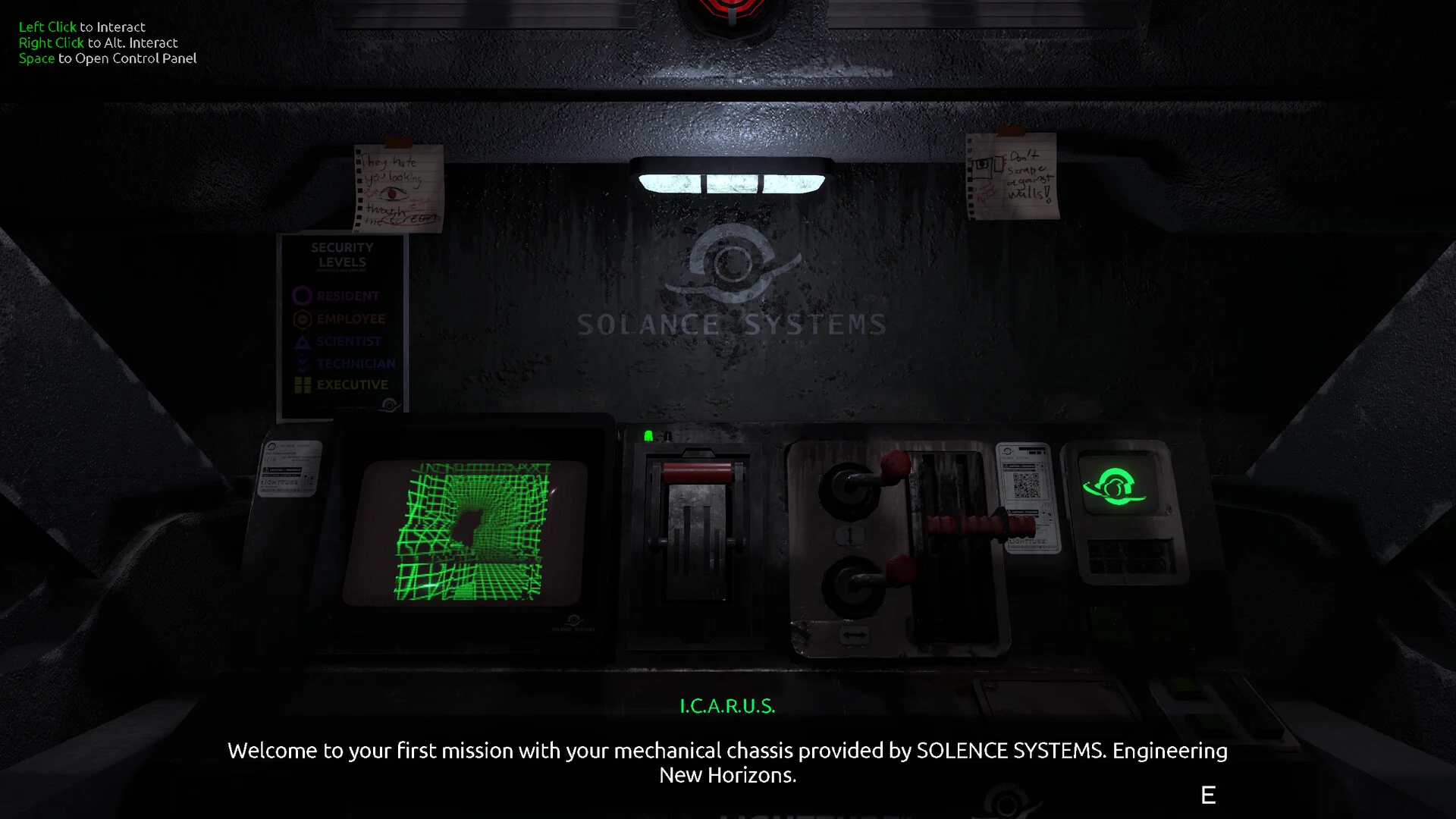
- FEED MY MECH launch trailer coverage centers on the official Steam presentation and verified game details.
- Watch safely through the Steam store page or the developer’s official channels.
- Trailer focus includes mech exploration, cockpit interfaces, Signals, power management, and infected machines.
- Expect spoilers for locations, threats, and story clues if you continue into gameplay footage.
- Use this guide to separate confirmed material from unverified trailer reposts.
FEED MY MECH Launch Trailer: Where to Watch
The FEED MY MECH launch trailer is best approached through official channels rather than reposted clips with unclear titles or descriptions. The official Steam store page is the safest starting point because it presents the game’s verified store information alongside its promotional material. The developer’s official itch.io presence is also useful for checking announcements and related project information.
A standalone, independently verified YouTube URL is not established in the available official material. For that reason, this guide does not embed a third-party video or treat an unverified upload as the definitive launch trailer. The Steam page remains the preferred viewing destination when you want the most reliable presentation of the game.
| Viewing option | Best use | Reliability |
|---|---|---|
| Steam store page | Watch official promotional material and confirm store details | Highest |
| Developer itch.io page | Check developer information and related announcements | High |
| Unverified video repost | Compare edits or fan commentary | Variable |
| Search-result preview | Locate possible uploads | Requires verification |
Do not assume that a video is official because its title includes “launch trailer.” Check the channel, description, developer identity, and links before treating it as authoritative.
The game is presented as a single-player horror exploration experience set inside a mech operating in an abandoned underground colony. The promotional material is therefore more useful as an atmosphere and systems preview than as a traditional action trailer. Expect emphasis on isolation, restricted visibility, machine operation, and environmental danger rather than a large combat showcase.
Useful official references:
What the Trailer Establishes About the Game
The trailer’s most important function is to establish the game’s tone and exploration loop. FEED MY MECH places the player inside a cockpit, making the interface part of the horror experience. Instead of viewing the character from a conventional third-person perspective, players rely on screens, map information, scanner feedback, and mechanical status indicators.
The core experience can be summarized as a repeated cycle:
- Prepare the mech.
- Leave a safer position.
- Search an underground colony area.
- Locate or operate relevant equipment.
- Recover Signals and environmental clues.
- Return before power or machine condition becomes critical.
| Trailer element | Gameplay meaning | What to watch for |
|---|---|---|
| Cockpit screens | The mech interface provides essential feedback | Power, navigation, scanner, and machine-state information |
| Underground colony | Exploration takes place in abandoned industrial spaces | Blocked routes, side passages, equipment, and landmarks |
| Signals | Signals function as important recoverable objectives | Search areas carefully before leaving |
| Infected machines | Mechanical threats create pressure during exploration | Escape routes, dangerous zones, and cautious movement |
| Limited visibility | The player cannot rely on unrestricted environmental awareness | Use the interface and scanner to reduce uncertainty |
The trailer should not be read as a promise of a conventional weapons-focused mech game. The available game information places greater emphasis on exploration, machine management, environmental obstacles, and survival decisions. That distinction matters when setting expectations: the mech is your shelter, vehicle, interface, and vulnerability point at the same time.
Atmosphere
Dark industrial spaces, restricted visibility, mechanical noise, and a strong sense of isolation define the presentation.
Exploration
Search the abandoned colony, inspect equipment, follow navigation information, and investigate routes beyond the direct objective path.
Survival
Manage power, monitor the mech, identify hazards, and keep a reliable route back before entering deeper areas.
Focus on interfaces, environmental transitions, and machine feedback. These details reveal more about the real gameplay loop than isolated shots of hostile machinery.
Launch Trailer Highlights and Gameplay Signals
A useful way to analyze the launch presentation is to separate confirmed systems from visual atmosphere. The trailer may suggest danger through lighting, sound, or silhouettes, but the practical systems are clearer: the player explores from inside a mech, uses navigation and scanning tools, manages power, and interacts with the colony’s equipment.
The following highlights are the most important details to carry into a first playthrough:
| Highlight | Why it matters | Recommended response |
|---|---|---|
| Cockpit-based exploration | The interface is the main source of situational awareness | Learn every display before traveling far |
| Power concerns | Long detours can make the return trip unsafe | Keep reserve power for retreat |
| Scanner use | Important objects and clues may not be obvious | Scan with a specific search goal |
| Map and navigation | Branching routes can create disorientation | Remember landmarks and confirm direction |
| Mechanical threats | Infected machines can make exploration dangerous | Enter hazardous areas with an exit plan |
| Signals and clues | Optional investigation can improve story understanding | Search side areas before advancing too far |
The best trailer takeaway is that preparation is part of progression. Before leaving a known position, decide what you are trying to find, how far you intend to travel, and how you will return if the next interaction does not immediately open the route.
What the trailer does not confirm
Do not infer unsupported systems from generic mech imagery. The available information does not establish a broad weapon roster, multiplayer mode, competitive ranking system, or redemption-code economy. It also does not justify describing FEED MY MECH as a Roblox title or as a conventional online mech battler.
The confirmed identity is narrower and more distinctive:
- Single-player horror exploration.
- Mech cockpit navigation.
- Abandoned underground colony environments.
- Signal recovery and environmental investigation.
- Infected mechanical threats.
- Power and machine-state management.
- Story clues connected to Solance Systems.
Verify the viewing source
Open the official Steam listing first, then compare any external clip against the developer’s official presence. Check the channel name and description before accepting a repost as the launch trailer.
Identify the exploration loop
Look for the sequence of leaving a safe area, searching for equipment or Signals, operating an interaction, and checking whether the route has changed.
Read the interface
Pay attention to the cockpit displays, scanner behavior, map information, and power indicators. These systems support nearly every important exploration decision.
Mark danger signals
Note areas with limited visibility, hostile machines, unusual environmental movement, or routes that appear difficult to retrace.
Prepare for the first session
Begin with a short objective, preserve a safe return route, and avoid entering unknown areas without enough operational reserve.
Treat every expedition as a planned trip. A clear objective and a remembered route reduce wasted power, repeated searches, and avoidable exposure to danger.
How to Prepare After Watching the Trailer
The launch presentation gives players a useful mental model, but the first play session still requires disciplined exploration. FEED MY MECH is designed around uncertainty: the player must interpret signals from the cockpit, understand the environment, and decide when to continue or retreat.
Use the following preparation table before moving into an unfamiliar section.
| Preparation check | Why it helps | Practical habit |
|---|---|---|
| Power level | Determines how far you can safely travel | Reserve enough for the return route |
| Machine state | A damaged or compromised mech increases risk | Check status before leaving safety |
| Current objective | Prevents aimless exploration | Choose one nearby goal |
| Route memory | Helps recover from disorientation | Note landmarks and branching paths |
| Scanner readiness | Supports inspection and clue discovery | Use it when entering a new area |
| Retreat plan | Limits the cost of a failed search | Know where you will turn back |
Before Leaving
Check power, machine condition, current objective, and the direction of the safest return path.
During Travel
Use recognizable landmarks, slow down near interactions, and avoid unnecessary detours.
At Equipment
Inspect the surrounding area, scan relevant objects, and confirm what changed after activation.
When Resources Drop
Stop optional searches, follow the known route, and return before the situation becomes critical.
Trailer-informed survival priorities
- Conserve power: Avoid repeated scanning when the relevant object or route is already understood.
- Use the map deliberately: Confirm direction before committing to a long branch.
- Inspect unusual objects: Wreckage, machinery, and environmental details may provide optional context.
- Keep an escape route: Do not focus so heavily on an interaction that you lose track of the way out.
- Revisit areas later: Progression changes may make previously overlooked routes or clues easier to understand.
First-Session Preparation:
- Open the official Steam listing or developer channel
- Learn the cockpit, scanner, map, and power displays
- Choose a short exploration objective
- Record a recognizable landmark before branching
- Keep enough reserve for the return trip
The trailer can reveal atmosphere, interfaces, and broad threats without explaining every ending, Signal location, or hidden Solance Systems clue. Use the walkthrough and endings pages only when you want direct progression help.
Launch Trailer FAQ
The launch trailer is a useful entry point, but it is only one part of the FEED MY MECH reference experience. Use the answers below to confirm what is known and how to continue researching the game without relying on misleading reposts.
Q: Where should I watch the FEED MY MECH launch trailer?
Start with the official Steam store page, which is the most reliable place to view the game's promotional presentation alongside verified store information. You can also check TheManiacMartian's official itch.io page for developer updates.
Q: Is there a verified YouTube launch trailer link?
A standalone official YouTube URL is not confirmed in the available material. Avoid treating an external upload as official unless its channel, description, and developer links clearly verify its source.
Q: What gameplay systems does the launch presentation emphasize?
It emphasizes cockpit-based exploration, map and scanner use, power management, Signal recovery, environmental investigation, and survival around infected mechanical threats.
Q: Does the trailer show a traditional mech combat game?
The available game information presents FEED MY MECH primarily as a single-player horror exploration experience. The mech is used for movement, navigation, investigation, and survival rather than being presented as a conventional competitive combat platform.
For the clearest understanding, watch the official presentation first, then use the beginner guide, walkthrough, Signals guide, and survival pages as separate reference tools.