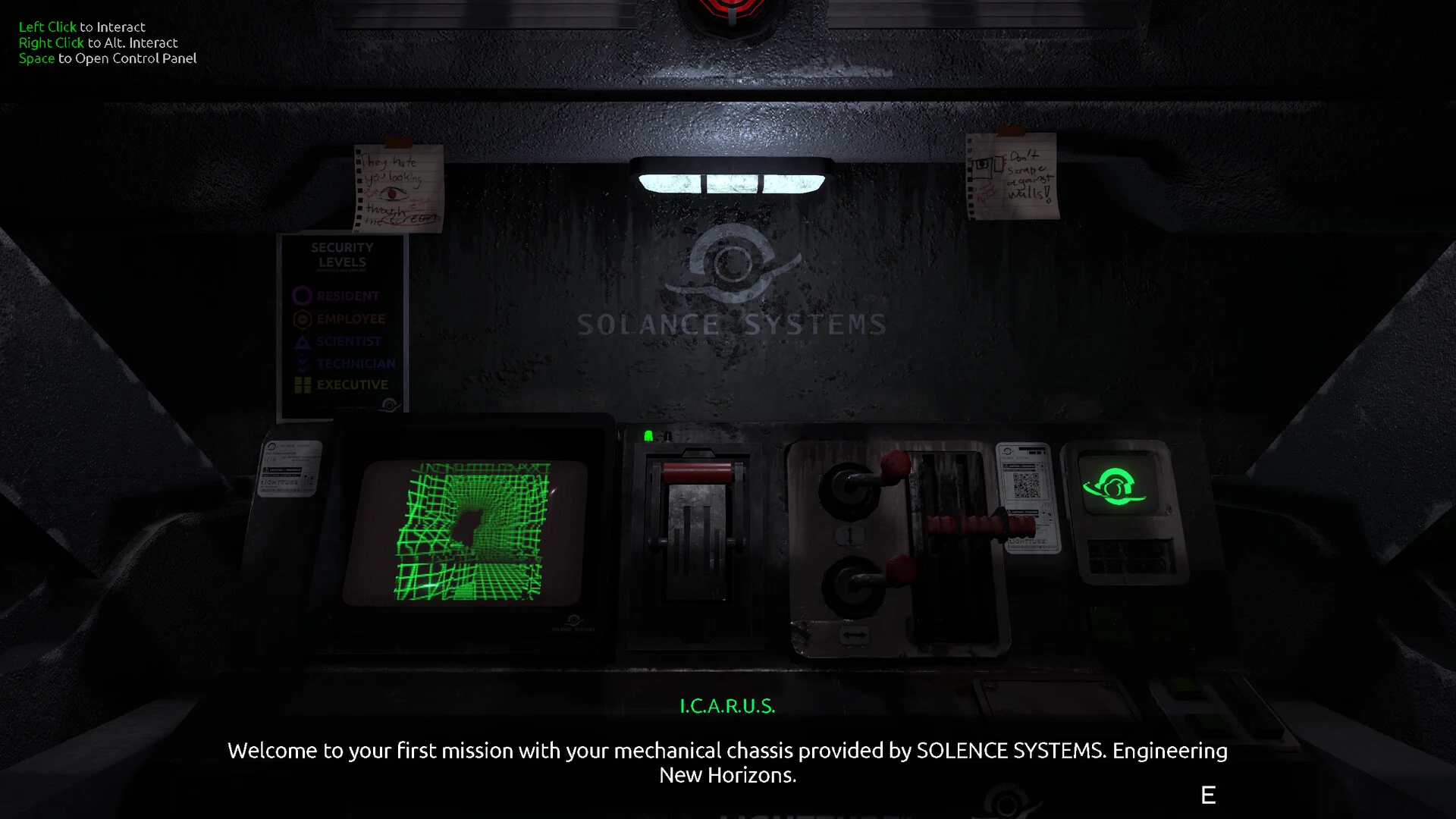
- FEED MY MECH trailer access is best checked through the official Steam store page.
- Standalone YouTube links should be verified before being treated as official.
- Trailer focus includes mech exploration, an underground colony, Signals, and infected machines.
- Best preparation is learning power management, scanning, navigation, and safe retreat routes.
- Spoiler control matters because promotional footage may reveal locations or story clues.
FEED MY MECH Trailer: Official Access and Scope
The FEED MY MECH trailer introduces a single-player mech horror exploration game set inside a deserted underground colony. The central perspective stays inside the mech cockpit, where limited visibility, machine status, navigation information, and environmental threats shape the experience.
The official reference point for promotional video access is the FEED MY MECH Steam store page. A separate verified YouTube URL is not currently listed in the available reference material, so avoid relying on reposted uploads or unrelated videos when searching for the game’s trailer.
| Official access point | Best use | Reliability |
|---|---|---|
| Steam store page | Watch the listed promotional video and review current game information | Primary |
| Developer homepage | Check developer announcements and project links | Official developer source |
| Developer itch.io page | Review the developer’s project presence and related information | Official developer source |
| Unverified video uploads | Compare community coverage only after checking the title and source | Use caution |
Use the Steam listing as the first stop for the promotional video. If a third-party upload has a different title, missing attribution, or edited footage, treat it as unofficial until verified.
Atmospheric Horror
The presentation emphasizes isolation, darkness, industrial machinery, and uncertainty rather than fast-paced combat.
Mech Cockpit View
The cockpit, scanner, map, and machine readouts are central to understanding what is happening around you.
Exploration Mystery
Signals, abandoned infrastructure, environmental clues, and Solance Systems create the main investigative framework.
The game’s trailer should be read as a tone and feature preview rather than a complete walkthrough. It can establish the setting and major mechanics, but it does not replace route-specific guidance for power, Signals, enemies, endings, or achievements.
What the Trailer Teases About Exploration
The promotional material is most useful when viewed alongside the game’s core exploration loop. You operate a mech, enter sections of an underground colony, inspect equipment, monitor resources, and decide whether to continue or retreat. The trailer’s strongest purpose is showing how the cockpit turns ordinary movement into a tense information problem.
| Trailer element | Gameplay relevance | Recommended player response |
|---|---|---|
| Dark industrial corridors | Visibility and orientation can become difficult | Mark landmarks and keep a return route in mind |
| Cockpit displays | Machine condition and power affect exploration | Check readouts before entering unfamiliar areas |
| Scanner use | Important objects may require deliberate inspection | Scan relevant machinery and unusual structures |
| Map or navigation interface | Branching routes can cause disorientation | Confirm direction after major interactions |
| Infected machinery | Threats can interrupt exploration | Enter hazardous areas with an exit plan |
When the trailer highlights a machine display, access point, damaged structure, or unusual passage, treat it as a clue to the game’s exploration priorities. The safest habit is to investigate with a clear objective instead of wandering without a resource plan.
The trailer also communicates the game’s pacing. FEED MY MECH is built around controlled movement, observation, and escalation. A player who rushes through every corridor may miss an interaction or spend too much power before understanding the route. A more reliable approach is to divide each expedition into preparation, investigation, and recovery.
| Exploration phase | Main question | Practical habit |
|---|---|---|
| Preparation | Can the mech complete the planned trip? | Check power, condition, and destination |
| Investigation | Which object or route advances progress? | Scan and inspect purposefully |
| Confirmation | Did the environment change? | Recheck the map and nearby access points |
| Recovery | Can the mech return safely? | Retreat when resources become critical |
The underground colony is not simply a backdrop. Its equipment, abandoned areas, and environmental details support the mystery surrounding the mech’s mission. Searchers interested in the trailer should expect the full game to reward attention to objects that appear disconnected from the direct route.
Trailer-Informed Beginner Route
A short preview can make the game look straightforward, but the early experience becomes easier when you establish a consistent operating routine. Follow the steps below whenever you begin a new exploration push or enter a section with unfamiliar routes.
Read the cockpit before moving
Identify the current power level, machine condition, navigation information, scanner access, and interaction controls. The cockpit is your primary source of feedback, so learn what each display communicates before leaving a known safe position.
Choose one nearby objective
Decide whether you are searching for equipment, an access point, a Signal, or an environmental clue. A focused objective reduces unnecessary movement and makes it easier to recognize when progression has occurred.
Scan and inspect relevant objects
Use the scanner on machinery, damaged structures, and unusual points of interest. If an interaction prompt does not appear, reposition the mech, face the object directly, and check whether another objective must be completed first.
Confirm the route has changed
After activating equipment or completing an interaction, revisit the map and nearby access points. Do not assume that one successful action has completed the entire progression chain.
Retreat before resources become critical
If power or machine condition drops too far, stop optional exploration and return through the last confirmed route. Reaching a new area is less valuable than preserving a reliable save and a safe path forward.
Do not enter a dangerous side route merely because it appears open. Confirm your objective, reserve enough power for the return trip, and identify a recognizable landmark before going deeper.
This routine also helps with the game’s Signals and secrets. Optional discoveries may sit outside the most direct route, but they are easier to investigate after the main navigation interface and power loop become familiar.
Enemies, Power, and Spoiler-Safe Viewing
The trailer’s horror presentation suggests that threats are part of the exploration problem rather than a separate combat-focused system. Spider enemies and infected mechs are identified as dangers associated with the colony, so preparation and positioning should remain priorities when entering hazardous areas.
| Threat or risk | Warning sign | Safer response |
|---|---|---|
| Spider encounter | Movement or activity in a dangerous route | Keep distance where possible and preserve an escape path |
| Infected mech | A hostile mechanical presence near progression space | Avoid committing to a route without checking resources |
| Low power | Power display approaching a critical state | Stop scanning and return to a known safe area |
| Disorientation | Lost landmarks or uncertain map direction | Retrace the last confirmed route |
| Blocked interaction | Objective fails to advance | Reposition, reload a safe save, and repeat the preceding action |
Watch the official promotional footage before reading ending details or secret-location guides. If you want a blind first run, stop after the setting and mechanic overview, then avoid searches containing “endings,” “ending explained,” or “all secrets.”
The trailer can also help players decide how much preparation they want before starting. Those who prefer a blind horror experience should use it to judge tone and atmosphere only. Players who want a smoother first run can use the preview to identify the importance of power, scanning, navigation, and cautious inspection.
Blind First Run
Watch only the setting and atmosphere. Avoid detailed walkthrough searches until an objective genuinely causes trouble.
Guided First Run
Learn the power and navigation routine, then use spoiler-light walkthrough steps for progression.
Completion Run
Plan for Signals, secrets, achievements, alternate outcomes, and a backup save before the final sequence.
For technical problems, start with the least disruptive recovery method. Restart the game, load the latest valid save, and verify installed files through Steam before attempting more invasive troubleshooting. Persistent problems should be documented with the location, objective, action sequence, and save state.
Trailer Search Checklist and FAQ
Use this checklist when searching for promotional footage, preparing for a first playthrough, or comparing official information with community coverage.
Before You Watch or Play:
- Open the official FEED MY MECH Steam store page first
- Confirm that any video title includes FEED MY MECH
- Check power, scanner, map, and interaction controls
- Create a safe save before major late-game progression
- Avoid ending and secret searches if you want a blind run
| Search goal | Useful query direction | Spoiler level |
|---|---|---|
| Find official footage | FEED MY MECH official trailer | Low |
| Understand the premise | FEED MY MECH mech horror exploration | Low |
| Solve early navigation trouble | FEED MY MECH beginner guide | Low to medium |
| Find optional discoveries | FEED MY MECH Signals and secrets | Medium |
| Compare final outcomes | FEED MY MECH endings guide | High |
Include the complete game title in every search. This filters out unrelated mech, horror, and “feed” results and makes it easier to identify pages that actually discuss FEED MY MECH.
Q: Where can I find the official FEED MY MECH trailer?
Start with the official Steam store page, which is the primary promotional access point listed for the game. The available reference material does not provide a separately verified YouTube URL.
Q: Is FEED MY MECH a multiplayer game?
The available game information identifies FEED MY MECH as a single-player mech horror exploration game. Its core loop centers on cockpit-based exploration, Signals, machine threats, and environmental investigation.
Q: What should I learn before playing?
Learn the cockpit readouts, power management, scanner, navigation interface, interaction prompts, and safe retreat habits. These systems support both story progression and optional exploration.
Q: Can the trailer spoil the story?
Promotional footage can reveal locations, machines, or visual clues without explaining their full context. For a blind run, watch only the tone-setting material and avoid detailed ending or secret searches afterward.
The official Steam page remains the best reference for current store information. You can also check the developer’s itch.io page for official project links and updates.